Thursday, April 23, 2015

Sling TV (the service)

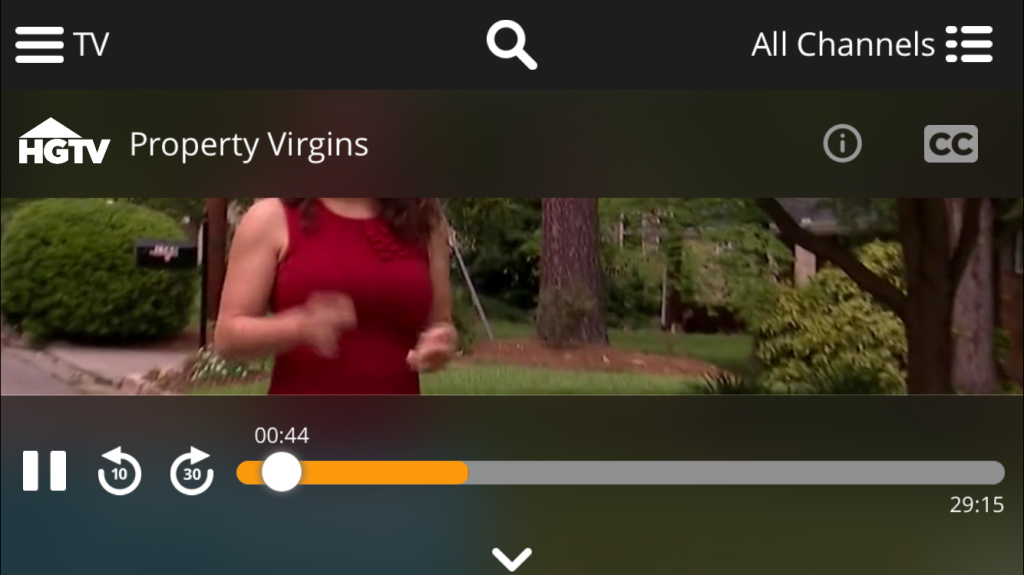
Sling TV on iphone 6: the quality looks great! (at least on the phone) and the streams start really really fast (much quicker than say netflix). Buffering time seems < 2 sec. So far I'm impressed. I'll have to try this on my fire tv stick later tonight. You have a few bandwidth options on the iOS app.  I really wish there were separate settings for wifi vs cellular:


DVR features seem to work fine on channels that support it. I like the 30 sec jump forward and 10 sec back buttons.
CC works well too.


- So I got in on the $50 off fire tv deal with a 3 month sub to sling tv.  So far it's been a hit at the household.  I don't really watch much of live tv but the wife still enjoys all those shows on HGTV and Food network.  This is perfect because these channels are part of the base $20/month package.  The DVR ish functionality isn't too bad at least for those channels so she can pick the shows she wants to watch whenever she wants.  I just added a second fire tv and I've disconnected the cable box.  Fire TV is on ethernet.  If she's ok with this setup for a week I'm probably going to finally cut the chord!  The biggest negative I see is it only allows one stream at a time.  Hopefully they increase this in the future. There seems to be clients for quite a few platforms including: windows, osx, xbox one (tested and works well), android, ios, roku, and fire tv.  These are all fat clients (no web based client) so for linux you are out of luck.  This means chromebooks are out unless you can maybe hack the android version to work (haven't looked into it).
- So far quality has been very good at home.  Streaming begins very fast with very little buffering time.  Bitrate is 3.7mbps.  

Highly recommended IF the base $20 has channels you care about.

Friday, March 27, 2015

Best all in one wireless media keyboard


- It's the perfect balance of features, size, weight, layout, and price.
- I picked it up for under $19 when it was on sale
- It's light and comfortable to use on your lap
- It has a very nice standard keyboard layout with all the keys where you would expect them like the right shift key
- The multi touchpad is pretty responsive and supports more gestures than logitech.  It's a good size without making the keyboard too large or cumbersome.
- It has a dedicated left mouse click button in the upper left corner which is handy for drag and drop operations.
- It has customization media keys and a bunch of function keys including sleep.
- Has dedicated on/off switch
- Runs on 2XAAA (I wish it were AA but oh well), and has a storage compartment for the tiny usb receiver.
- There is one annoyance that might be a deal breaker for some.  The two finger scroll gestures is reversed (more tablet like).  On windows 8.1 you can flip the scroll direction.  But if you are using with some other os like a chromebox then you are kind of stuck with it that way.

Other keyboards I've tried.
- Logitech K400:  One of the earlier keyboards I tried.  It was very cheap at the time but you kind of get what you pay for.  It's small but almost too small as the touchpad and keys are a bit cramped.  It's very light though.  The absolute worst thing for me is the location of the right shift key.  You have the arrow cluster where it should be so you end up hitting arrow up a lot when instead you want to hit shift.  This makes the keyboard one of the worst choices for touch typists.  It really sucks, and I own two.  I thought I could train myself but trust me it's not worth the trouble.  Skip it!

- Logitech TK820: I have two of these.  It's a large and heavy keyboard.  The touchpad is enormous.  It's pricey at $50-60.  It has no extra dedicated mouse button.  It runs on 4XAA batteries but has no receiver storage.  It's not a bad keyboard but it's not as nice as the Microsoft one and costs 2-3X as much.  There is also the more expensive K830 backlit one which is a crazy $92.  No thanks.

So yeah get the Microsoft one.  After all these years my search is finally over, and I've found the perfect all in one that works great with an htpc or chromebox and is super affordable to boot.

Thursday, December 25, 2014

Acer Aspire E11 (ES1-111M-C7DE)


Acer E11 Pics

    Youtube video:
    • Boot comparison: acer c720 on left, E11 on the right
    • Browsing comparison
    • Minecraft
    • World of Warcraft
    • Diablo 3
    • Starcraft 2
    • Counter Strike GO
    • Fallout New Vegas
    • Skyrim (similar to the acer c720 video where I was streaming it. Here it's running local)
    So last year I went all out with chromeos with the still awesome Acer C720 chromebook and my very similar asus chromebox. Both used the excellent power/performance/price haswell based celeron 2955u. This year it seems to be the year of the sub $200 windows laptops and tablets. So again I looked to Acer since I liked the trackpad and keyboard on the c720 chromebook. The E11 line seems very similar. It's the same 11.6" screen form factor that I like. It weighs about the same too. So let's compare the hardware of the Acer Aspire ES1-111M-C7DE to the c720.

    E11 vs c720 comparison:
    • Silvermont dual core bay trail based celeron n2840 (cpumark 1109). It's cpu and gpu are quite a bit weaker than the 2955u (cpumark 1516) but it's also half the tdp at 7.5w.
    • UEFI modern bios with secure boot but you can also switch it to legacy boot if you want to install alternative OS's like linux.
    • 2gb single sodimm BUT it's upgradeable.
    • 250GB 2.5" hard drive. I actually prefer this on the C7DE variant that target carries because that means it's upgradeable with standard 2.5" SSD drives. Compare this to the one sold on amazon that has 32gb ssd included, that one is soldered onto the motherboard and NO SATA header so you can forget about upgrading the storage. So if you plan to upgrade the parts anyways go with the C7DE.
    • Lower batter life under windows 8.1 with only about 5-6 hours.
    • Built in gigabit ethernet jack!!!!
    • The rest is pretty similar: sd card slot (but only half depth so sd cards will stick out), 1 usb 3.0, 1 usb 2.0, full sized hdmi, bluetooth.
    • AC adapters are different so you can't share them between the two. Boooo!!!! Additional AC adapters are about $13 shipped off of ebay (seller: sourceswide) (UPDATE: do NOT use this seller.  Adapters don't fit property.  I'm still working with them to get the issue resolved).  UPDATE 2:  I returned the previous ones and bought another one from accesscables and it works great!
    • Trackpad is larger but doesn't feel as good as the c720. My first one had a weird vibration to it every time I touched it. So I exchanged it and the new one is fine. The added size is actually a step back in my opinion since it often engages the palm detection and then disables the trackpad for a sec. Overall, it's a worse experience than the c720 which had a surprisingly good trackpad at that price point.
    • Keyboard is pretty much identical: it feels good, a good size, and a solid layout.
    • It's completely fanless. Once you put in a ssd you can't hear a thing.
    • Octane 2.0: 7767 vs 11760

    Hardware upgrades:
    • So I got it when it was on sale along with an addition 10% off using their cartwheel app so my final price was only $138 + tax. At that price I was like why not and give it a try. My plan from the beginning was to upgrade it. I dropped in a crucial m500 240gb ssd that I picked up for only $80 and this 8gb sodimm 1.35v ddr3L 1600 ram for $68. So now we are up to $286 which isn't exactly cheap anymore. Straight out of the box without any upgrades it's a pretty horrible and frustrating experience. It's loaded with crapware making an already slow machine almost unusable especially at first boot until things settle down. It comes with windows 8.1 with bing which is just regular 8.1 but a free version offered to oems on cheap hardware. It exists to fight chromebooks basically. The default search is bing but it's easily changed.
    • Follow this video to do the upgrades (here are some additional pictures). Watch it carefully and more than once since there are a lot of connectors and each one has a different retention mechanism. They are pretty small so just be careful and take your time. Swapping the drive is easy but replacing the memory requires removing the entire motherboard. It went without a hitch.

    Windows 8.1 UEFI clean install:
    • I did a clean install of windows 8.1 enterprise with updates (msdn) under UEFI boot from a usb flash drive was a bit more challenging. You can easily burn the iso and do it off of an external optical drive but I wanted to see if I could do it off a usb 3.0 flash drive. You can and it's a bit tricky. First you have to create a UEFI bootable install on the flash drive. Follow this guide. I tried option 1 at first but for some reason it formatted to ntfs instead of fat32. I'm not sure why since I'm positive I picked the right options. Option 2 the manual way though worked for me. Then, get into the bios (F2) and add a system password. This then allows you to change between uefi and legacy boot modes and disable secure boot. What you want to do is leave it in uefi boot mode but turn off secure boot for now. After that I was able to boot from usb just fine but then I had no access to the keyboard or touchpad during the install. I think there is a bios option to put the touchpad into standard vs advanced mode to get it to work but I didn't bother. Just attach a mouse and get through the install because after the first reboot the keyboard will start to work but still no touchpad until you start installing the drivers. Get all the acer drivers from here. You will want to install all of it (make sure you identify your proper wireless/bluetooth chipset. Mine was Atheros and installing the wifi drivers also installed all the bluetooth drivers so I didn't run the stand alone bluetooth download.
    • UPDATE 4/24/2015 - Warning: Not entirely sure the synaptic drivers for the touchpad should be installed.  From some reading it's a basic windows 8.1 touchpad and isn't actually manufactured by synaptic so you are going to be missing a lot of the customization options you usually get above and beyond what windows 8.1 offers.  I had some weird touchpad cutting in and out and having to hit fn + f7 to toggle the pad off/on to get it working again.  Since then I removed the synaptic drive (under human interface driver, remove, delete driver) and it's been solid and a lot more responsive.
    • UPDATE 4/25/2015 - And the touchpad froze again.  It's very intermittent and a bit frustrating.  This thread (different model but seems similar) and youtube video suggests it's a hardware problem.  I'm not 100% convinced yet that is the case though because it works fine most of the time.  I haven't figured out if there is a pattern that triggers the issue.  Reboots seem to help a lot so it might be sleep/hibernate related.  Who knows maybe windows 10 when it comes out might help.
    • UPDATE 6/5/2015  - So I gave up trying to find a fix.  I did an online chat with acer support on 5/27/2015 and explained the issue and referenced he links above.  I told him I tried all the usual stuff like reinstalling the OS.  He set me up with a repair order no problem.  I shipped it out the next day (about $25 in shipping and packaging costs via UPS) and got it back today.  The papers say they replaced the touchpad with a new one.  It still had the film on the touchpad.  So far so good.  The touchpad is a LOT more responsive now and so far hasn't froze.  It kind of sucks that I had to have it serviced in the first place but at least it was good fast service.  I did swap the original hard drive back before shipping it off.  I left the 8gb ram in though.  It would have been too much trouble to swap that out two more times.  The warranty is a year, and I highly recommend you get it serviced if you are experiencing similar issues.  It's so much less frustrating to use this laptop now.
    • Even with the latest windows iso I still had about 140 updates to do. Uggg…It's times like these I see the brilliance of chromeos.
    • Flashing the motherboard bios from windows happens very quickly and without much warning. To get back to the UEFI settings follow these instructions. The thing is once you go all out UEFI windows 8 assumes all control and the only way to get back to those UEFI settings is through a few windows hoops. I verified the latest bios version was flashed and secure boot was enabled again.

    Additional notes:
    • Boot times are incredibly fast thanks to uefi win 8.1 boot. It's < 10 sec to desktop. It really isn't much slower than my chromebook in developer mode which requires you to press ctrl-d.
    • Browsing is chrome isn't as good period. I ran both side by side hitting the same sites and the chromebook always won. Scrolling through complex pages was always smoother on the chromebook. The E11 was still very usable though most of the time.
    • I also have a usb 3.0 external portable hard drive so I can install even more games on to that.
    • It's nice having access to your entire games library instead of the ones with linux ports. Granted, almost everything you do is cpu/gpu constrained though so just keep your expectations in check and you might be kind of surprised what is playable.
    • VLC and Kodi both worked great and played all high bitrate 1080p mkv's just fine usually around 75% cpu utilization.
    • Office 2013 performed well. Having "REAL" onenote is awesome. This is probably the biggest thing I wish chromebook had. Even a proper linux port would be nice. Having to use the web version is meh.
    • Running full native 1password. It worked ok under crouton and wine but this of course is better.
    • Paint.net! Another one of those apps I really miss on the chromebook.
    • Native windows share access!
    • Remote desktop just works better than the chrome apps.
    • It gets a little warm under heavy load but it's not going to burn your legs.

    Gaming:
    I tried the following games at lowest settings unless otherwise noted. I used fraps (which also takes a pretty big hit on fps) with overlay updates set to once per second. I took into considering not only the framerate but the type of game to make my determination if it would be playable or not. I only played the start of each game for a minute or so.  Some games were run off the ssd and others were on an external usb 3.0 portable hard drive.  Load times were fine on the external drive.
    clip_image001  = unplayable
    clip_image002 = might be playable
    • Starcraft 2 - runs great at low settings, 40 fps, long load times.
    • Diablo 3 - playable at 18 fps.
    • Hearthstone
    • World of Warcraft (starter edition, human starting area. 20-30 fps)
    • Counter Strike GO: 22-30 fps
    • One finger death punch
    • Defense Grid 2 - 20 fps
    • Torchlight II - runs pretty smooth. 22-24 fps
    • Space Run - 40 fps,, shadows on, runs significantly better than the linux version on chromebook crouton.
    • Minecraft: 50 fps avg but stutters sometimes dropping into the 20's. (low everything, draw distance 4 blocks, playable but still not entirely smooth)
    • Fallout New Vegas - Very playable at low - medium settings at around 20-25 fps.
    • clip_image001[1] Borderlands 2 - Not playable. About 15 fps at 640X480
    • Bioshock 2 - stays above 20's at low settings and 1280X600
    • Skyrim - around 20fps. It's sort of playable
    • clip_image001[2] Hard reset - 17 fps. Not really playable
    • clip_image001[3] Alan Wake's American Nightmare - 8 - 11 fps. Not playable.
    • clip_image001[4] The Darkness II - 10 fps
    • clip_image001[5] Far cry 3 blood dragon - 800X600 - 10 fps
    • clip_image001[6] Painkiller Hell & Damnation - 10 fps
    • clip_image001[7] Sleeping dogs - 10 fps
    • clip_image001[8] Typing of the dead - graphic corruption
    • The Witcher - add command option: -dontForceMinReqs. Low settings, 1366X768. 25-30 fps. Very playable.
    • Brutal legend - 21 fps at 800X600
    • Call of Duty Modern Warfare - 35-50 fps, 1280X720
    • clip_image001[9] Darksiders - 13 fps, 1280x720
    • clip_image001[10] Deus Ex Human Revolution - 1280X720, 13-20fps, not really playable
    • Doom 3 BFG - 35-60 fps, 1366x768
    • Euro truck simulator 2: 20 fps
    • Full spectrum warrior: ten hammers - 30-33 fps
    • Gauntlet - 15-17 fps, 1280X720
    • Geometry wars - 60 fps
    • Bully - 20-25, 1280x720
    • Bulletstorm: 20-25 fps, 1280x720, install latest gfwl
    • clip_image001[11] How to survive: 13-15 fps
    • Indigo prophecy: 78 fps, 1024X768, medium
    • Infested planet - max settings, 1366x768, 41 fps
    • Jagged alliance back in action: 23 fps
    • clip_image001[12] Lunar Flight: 16fps
    • Mark of the ninja: 30 fps, 1280x720
    • Nidhogg: 57 fps
    • Orcs must die 2: 40 fps, low
    • Prince of Persia: The Two Thrones: 40-60 fps, 1366x768, medium
    • clip_image001[13] Sniper Elite V2: 12 fps, 800x600
    • System shock 2: avg 45 fps, ,35-55 fps.
    • Terraria: 38 fps
    • Tron 2.0: 60 fps, 1024x768
    • clip_image002[1] Valkyria chronicles: 15 fps
    • Southpark: The Stick of Truth: 30 fps.
    • Wasteland 2: 18 fps
    • Kingdoms of Amalur: 18 fps (800X600)
    • League of Legends: 30 fps on medium at 1366X768
    • Path of Exile: Mostly stays near 30 fps, can dip to 15fps at times but playable. 1366X768 all settings set to lowest.
    • Homeworld Remastered: 25-50 fps.  Typically stays over 37 fps.  Very playable.  1366X768 default settings.

    Recommended.
    It depends on your expectations and what you want to use it for. If you want hands down the best browsing experience, comfortable with linux, and do only light/indie gaming, all day battery life, and want a no fuss hassle free os then go with the chromebook. It's still better in those regards. If you need to run some windows apps, can live with a slightly compromised browsing experience, and spend some money to upgrade the stock hardware it's not a bad value. I wouldn't use a stock E11. I would find it too frustrating. The sub $300 11.6" windows laptop market isn't all that big. The options open up if you want a bigger screen size but I really like the portability of the 11.6". There is the hp stream 11 but it can't be upgraded. These devices are still all about compromises but they are getting better. My ideal sub $200 11.6" laptop would be take the c270 hardware and touchpad, 8 hr battery life, add ethernet, add full UEFI and legacy bios, allow a full size upgradeable 2.5" HDD, sodimm socket for upgradeable ram, full depth sd card slot, and setup a dual boot between chromeos and windows 8.1. Oh and maybe throw in a backlit keyboard while we are at it. So yeah basically I just want to merge the two laptops.  
    Also, I composed this post entirely on the acer e11.  I used the sd card slot to pull in the media, onenote to do initial writing, copy and pasted it to live writer to upload to the blog, paint.net to edit photos, and avidemux to join the videos.  It all worked very well.
    UPDATE: (3/4/2015)
    I just got a 512GB crucial M4 SSD refurb for $99.  So I went ahead and imaged the 240GB M500 to the new drive and expanded the partition using macrium reflect free.  Everything went smoothly.  The M4 benchmarks around 270MB/s read/write so it's plenty fast and hitting the sata II ceiling even for an older generation drive.
    UPDATE: (3/30/2015)
    Just a shout out to the folks at TekThing which is really a great show.  Go check it out and the reference to this review on Episode 8 at the 18:45 mark.
    UPDATE: 6/23/2015
    Installed unity3d and and visual studio 2013 community edition.  It works better than I expected.  A few of my simple 2D projects are running ok and the unity editor is usable if a bit cramped on the 11" screen.
    UPDATE: 8/18/2015
    Updated to Windows 10 x64 enterprise edition.  I did this off the msdn ISO by mounting the iso and running setup.exe.  You don't get free upgrades with enterprise edition so I had to use a new windows 10 enterprise key.  Things went surprisingly smooth.  Make sure you visit the acer driver site and download all the windows 10 version of the drivers which are all posted now.  The critical ones are the intel chipset and specifically the serial IO one.  The touchpad won't work until that is updated so have a mouse handy.  Running the setup wouldn't update the driver though.  I had to go into the device manager, system devices, find the yellow exclamation mark next the the intel IO device and manually update the driver from there browsing to where the new intel io drivers were extracted.  After that everything seems to be running great.
    UPDATE: 8/31/2016
    So my touchpad has been acting up again even after the replacement repair.  It's gotten so bad the laptop is pretty much useless without a mouse attached to it.  So I finally fixed my touchpad issues (where it cuts out randomly and you have to hit fn + F7 to toggle it off and back on).  I'm running windows 10 v1607 (anniverssary).
    http://www.acer.com/ac/en/US/content/drivers
    - Enter model: Aspire ES1-111M
    - I installed the following:
    Bios 1.16
    Firmware Synaptics Improve touchpad performance (Windows10) 1.17
    TouchPad Synaptics Touchpad Driver 19.0.7.34
    TouchPad ELANTECH Touchpad Driver 13.6.3.1  (wasn't sure which touchpad I had but I think I have a Synaptics so you can probably skip this)
    - Now the touchpad is MUCH more responsive and works 100% of the time.  Apparently it wasn't a hardware issue but a bios/firmware/driver issue.  Good thing Acer decided to fix it after over a YEAR :/


Friday, November 21, 2014

Amazon Fire TV and Fire TV Stick


Amazon Fire TV Stick

- Pretty darn amazing for $20 when they were on sale (now $40).  The setup experience is pretty excellent with my amazon account already setup for me.  After setting up wifi and a firmware update I was up and running.
- I really like the UI.  This is my first fire product, and I like it.  Everything feels fast and responsive.
- Having an actual remote and local storage for android apps is nice.  There was a bit over 5.5gb left for apps.  There was even a setting to allow side loading which I'll dig deeper later.  It seems like you push apk's from your pc over the lan.
- Prime video looked great and output dolby digital 5.1 plus.
- The other apps I briefly tried all performed well: netflix, youtube, plex (change the default bitrate to max and it looks a lot better), twitch, tunein.  Everything was responsive and looked good.
- fire tv remote control app is only on android for now.  The iOS version isn't out yet.  I tested it with my nexus 7 2013 and it worked fine.
- Sonic games won't work without a controller.  It doesn't work with the remote.  I tried pairing my dualshock 4 (hold down share then ps button until it flashes to put into pairing mode).  The fire tv would discover the controller but pairing would fail every time.  I tried some other game called unpossible with the remote and it worked fine.
- Mirroring with my nexus 7 worked ok but was just an overall pretty crappy experience like pretty much every time I tried mirroring under android.  Minecraft: mirroring fails.  Facebook: worked fine.  Chrome: failed after a while.  Sky Force: worked ok but serious performance issues on the tablet made it pretty unplayable.

For $20 I'm super impressed.  Even at $40 it's probably not that bad of a deal.  The hardware feels snappy and you have quite a good selection of apps.  With the addition of side loading that opens up a lot more possibilities (maybe xbmc).  At $20 I would have picked up a couple of more at that price if I knew these little sticks were this nice.

UPDATE:
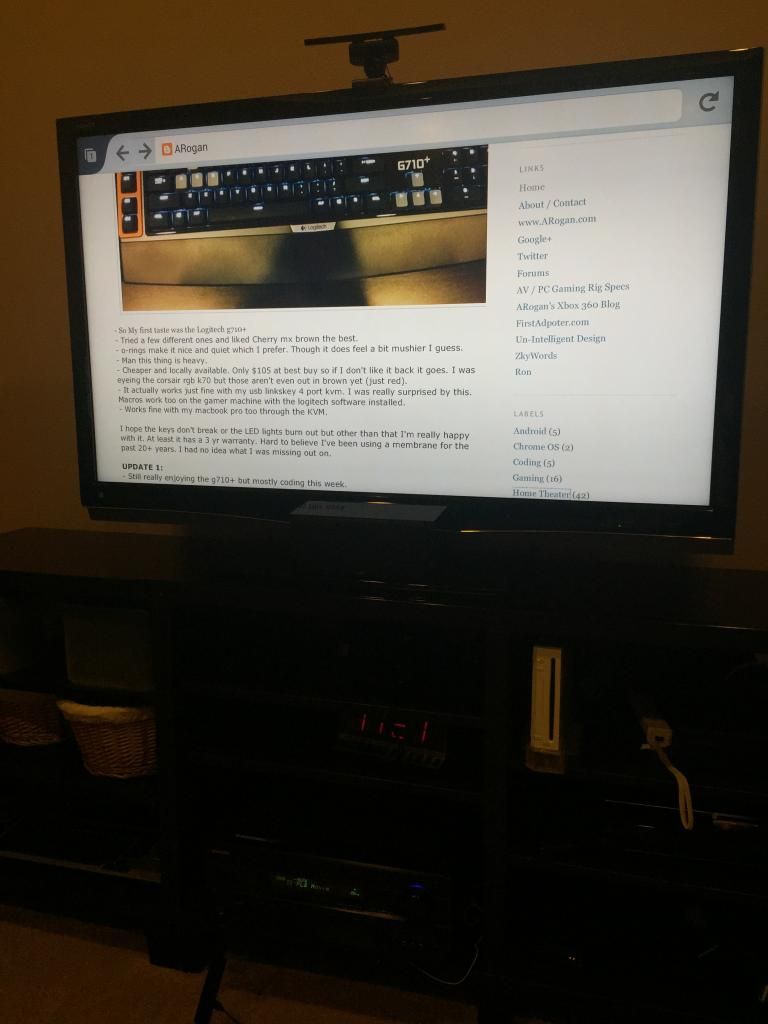


-Wow that took all of 5 min to side load the latest firefox and kodi beta xbmc apks. I enabled both developer options.  Apps that you side load show up in settings | Applications | Manage all installed.

Installed 1.3 ADB:
http://forum.xda-developers.com/showthread.php?p=48915118#post48915118

kodi arm beta xbmc (update: final release is out now):
http://kodi.tv/download/

firefox
https://ftp.mozilla.org/pub/mozilla.org/mobile/releases/latest/android/multi/

tutorial:
http://sideloadfiretv.com/sideload-apps-amazon-fire-tv-windows/
More info in the wiki:
http://kodi.wiki/view/Amazon_Fire_TV

If you are updating kodi and you don't want to lose your settings:
adb install -r filename.apk

add kodi to the home screen:
http://sideloadfiretv.com/add-kodi-xbmc-icon-to-fire-tvs-home-screen/
There's another way by installing the free kodi "app"
http://www.amazon.com/XBMC-Foundation-Kodi/dp/B00TWM8IBA/
It's really just an icon since you still have to side load kodi yourself.  You'll also have to go to settings|account and sync.  If you upgrade kodi you'll probably have to deregister/reregister your device again.  If you have more than one fire tv it probably won't work on the other ones besides your first one.  I find the llama method still more reliable.

You might also give fire starter a try as yet another way to launch side loaded apps.

- Streaming 1080p mkv dts play just fine.  Looks really smooth.  Upped the audio output to 5.1 and my receiver shows multichannel so I guess xbmc is doing the decoding.

So ummm yeah $20 for xbmc, browsing (used the nexus 7 as the keyboard), and android apps.  Wow, best $20 spent ever.

UPDATE: 4/23/2015
- So I picked up 2 X regular full size fire tv's now.  I'm using a flirc with them to access even more functions of kodi with a remote.  It's all working very well.  Flirc was up to date firmware wise right out of the box.  The only thing I had to learn from the logitech smart control hub was the single quote key (') for small skip back.  On the harmony add the flirc as manufacturer: flirc, model: kodi.  On one of them I added a usb hub and connected a keyboard/mouse along with the flirc.  It works ok on the side loaded chrome browser.

- DD 5.1/DTS passthrough works fine.
- It feels faster than the stick but I think that's a combo of the faster quad core cpu + moving from wifi to gigabit ethernet. Seeking and scanning is quick.
- browsing with android chrome or firefox isn't half bad. Keyboard/mouse is supported pretty well on fire tv.
- Side loaded siriusxm and subsonic android apps both which worked well.

Some additional side loading tips:
apk downloader chrome extension:
http://codekiem.com/2014/08/07/official-apk-downloader-v2-download-apk-files-from-google-play-store-to-pc/
did some research and it appears to be safe to use but don't take my word for it. XDA hasn't thrown up any red flags:
http://forum.xda-developers.com/showthread.php?t=1809458

force apps into landscape mode:
http://www.aftvnews.com/how-to-force-all-sideloaded-apps-into-landscape-mode-on-fire-tv/

Having most of the popular apps in the amazon app store + kodi + side loading android apps makes this the single best value of any streaming box IMO. At this point I've replaced most of my wd tv live boxes with other devices like the fire tv or the med600x3d. I liked the fire tv stick but I love the regular fire tv. I think the stick will be nice for travel though. I can see using it in a hotel and firing up plex or kodi + personal cloud with a hootoo.

If you have some playback issues/stuttering you might want to try disabling MediaCodec hardware acceleration.  Leave libstagefright on.