Showing posts with label Android. Show all posts

Friday, November 21, 2014

Amazon Fire TV and Fire TV Stick


Amazon Fire TV Stick

- Pretty darn amazing for $20 when they were on sale (now $40).  The setup experience is pretty excellent with my amazon account already setup for me.  After setting up wifi and a firmware update I was up and running.
- I really like the UI.  This is my first fire product, and I like it.  Everything feels fast and responsive.
- Having an actual remote and local storage for android apps is nice.  There was a bit over 5.5gb left for apps.  There was even a setting to allow side loading which I'll dig deeper later.  It seems like you push apk's from your pc over the lan.
- Prime video looked great and output dolby digital 5.1 plus.
- The other apps I briefly tried all performed well: netflix, youtube, plex (change the default bitrate to max and it looks a lot better), twitch, tunein.  Everything was responsive and looked good.
- fire tv remote control app is only on android for now.  The iOS version isn't out yet.  I tested it with my nexus 7 2013 and it worked fine.
- Sonic games won't work without a controller.  It doesn't work with the remote.  I tried pairing my dualshock 4 (hold down share then ps button until it flashes to put into pairing mode).  The fire tv would discover the controller but pairing would fail every time.  I tried some other game called unpossible with the remote and it worked fine.
- Mirroring with my nexus 7 worked ok but was just an overall pretty crappy experience like pretty much every time I tried mirroring under android.  Minecraft: mirroring fails.  Facebook: worked fine.  Chrome: failed after a while.  Sky Force: worked ok but serious performance issues on the tablet made it pretty unplayable.

For $20 I'm super impressed.  Even at $40 it's probably not that bad of a deal.  The hardware feels snappy and you have quite a good selection of apps.  With the addition of side loading that opens up a lot more possibilities (maybe xbmc).  At $20 I would have picked up a couple of more at that price if I knew these little sticks were this nice.

UPDATE:
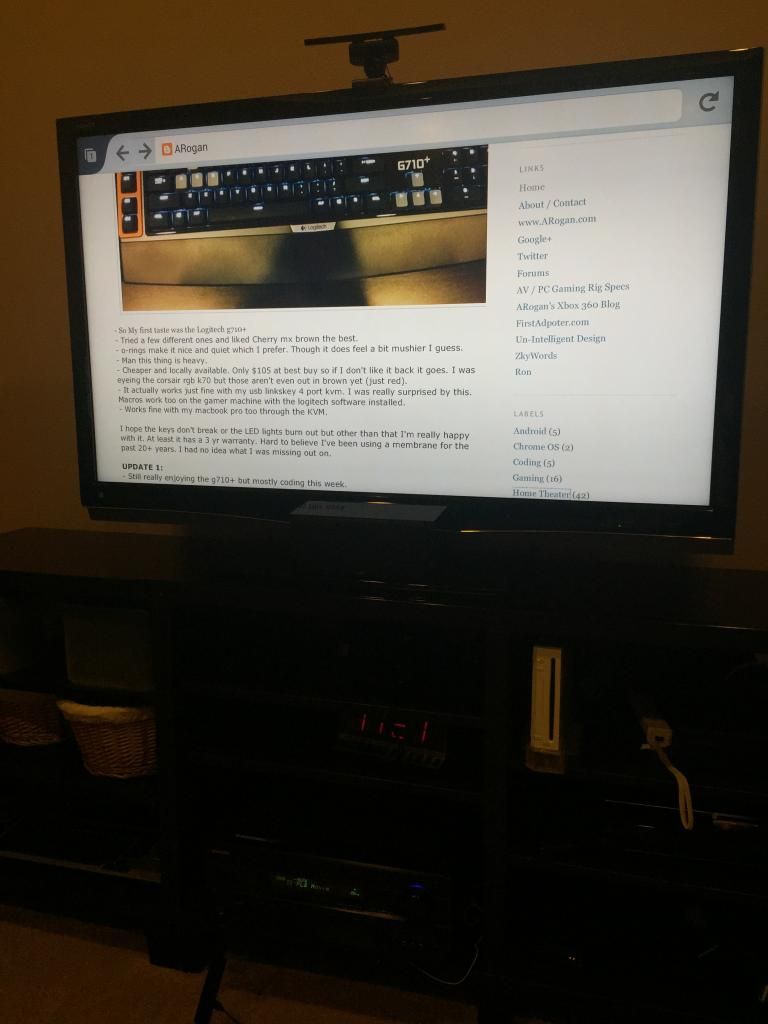


-Wow that took all of 5 min to side load the latest firefox and kodi beta xbmc apks. I enabled both developer options.  Apps that you side load show up in settings | Applications | Manage all installed.

Installed 1.3 ADB:
http://forum.xda-developers.com/showthread.php?p=48915118#post48915118

kodi arm beta xbmc (update: final release is out now):
http://kodi.tv/download/

firefox
https://ftp.mozilla.org/pub/mozilla.org/mobile/releases/latest/android/multi/

tutorial:
http://sideloadfiretv.com/sideload-apps-amazon-fire-tv-windows/
More info in the wiki:
http://kodi.wiki/view/Amazon_Fire_TV

If you are updating kodi and you don't want to lose your settings:
adb install -r filename.apk

add kodi to the home screen:
http://sideloadfiretv.com/add-kodi-xbmc-icon-to-fire-tvs-home-screen/
There's another way by installing the free kodi "app"
http://www.amazon.com/XBMC-Foundation-Kodi/dp/B00TWM8IBA/
It's really just an icon since you still have to side load kodi yourself.  You'll also have to go to settings|account and sync.  If you upgrade kodi you'll probably have to deregister/reregister your device again.  If you have more than one fire tv it probably won't work on the other ones besides your first one.  I find the llama method still more reliable.

You might also give fire starter a try as yet another way to launch side loaded apps.

- Streaming 1080p mkv dts play just fine.  Looks really smooth.  Upped the audio output to 5.1 and my receiver shows multichannel so I guess xbmc is doing the decoding.

So ummm yeah $20 for xbmc, browsing (used the nexus 7 as the keyboard), and android apps.  Wow, best $20 spent ever.

UPDATE: 4/23/2015
- So I picked up 2 X regular full size fire tv's now.  I'm using a flirc with them to access even more functions of kodi with a remote.  It's all working very well.  Flirc was up to date firmware wise right out of the box.  The only thing I had to learn from the logitech smart control hub was the single quote key (') for small skip back.  On the harmony add the flirc as manufacturer: flirc, model: kodi.  On one of them I added a usb hub and connected a keyboard/mouse along with the flirc.  It works ok on the side loaded chrome browser.

- DD 5.1/DTS passthrough works fine.
- It feels faster than the stick but I think that's a combo of the faster quad core cpu + moving from wifi to gigabit ethernet. Seeking and scanning is quick.
- browsing with android chrome or firefox isn't half bad. Keyboard/mouse is supported pretty well on fire tv.
- Side loaded siriusxm and subsonic android apps both which worked well.

Some additional side loading tips:
apk downloader chrome extension:
http://codekiem.com/2014/08/07/official-apk-downloader-v2-download-apk-files-from-google-play-store-to-pc/
did some research and it appears to be safe to use but don't take my word for it. XDA hasn't thrown up any red flags:
http://forum.xda-developers.com/showthread.php?t=1809458

force apps into landscape mode:
http://www.aftvnews.com/how-to-force-all-sideloaded-apps-into-landscape-mode-on-fire-tv/

Having most of the popular apps in the amazon app store + kodi + side loading android apps makes this the single best value of any streaming box IMO. At this point I've replaced most of my wd tv live boxes with other devices like the fire tv or the med600x3d. I liked the fire tv stick but I love the regular fire tv. I think the stick will be nice for travel though. I can see using it in a hotel and firing up plex or kodi + personal cloud with a hootoo.

If you have some playback issues/stuttering you might want to try disabling MediaCodec hardware acceleration.  Leave libstagefright on.

Saturday, August 23, 2014

HooToo TripMate Elite


HooToo TripMate Elite is $60 at amazon though I picked it up while it was on sale at newegg for $46.

Personal cloud storage devices have recently become more popular lately which usually let you provide your own usb storage and share it among your mobile devices over wifi.  I picked up one of the first on the market called cloudftp (it's now called iUSBPort) through kickstarter.  It's served me well on many trips over the years.  I also find it handy to bring a travel router like my TP-LINK TL-WR702N.  It was getting a bit of a hassle having to bring 2 devices + power adapters + having to switch between wifi networks to have either personal cloud access or internet access (setting up cloudftp in infrastructure mode is a bit of a pain), and the relatively short battery life of cloudftp.  In comes this new device that pretty much does everything above for less in a much more compact and portable form factor.

The HooToo Covers all these functions:
- Personal cloud usb storage (worked fine with ntfs usb 3.0 flash drive and a 1TB exFAT 2.5" external hard drive)
- Travel Router, 150mbps b/g/n, AP/Router/Bridge
- 6000mah battery that powers itself or can charge other devices.
- Dual USB wall charger when plugged in with the handy built in ac plug that folds down.
- Works while charging either while plugged in or over the micro usb port.  So say if you wanted to use it on a long trip you could plug the HooToo into a car power adapter or another external battery (like this RAVPower one that I really like) and run the personal cloud all day.
- the HooToo app is ok (and free) but nPlayer is the absolute best for streaming/playing back media supporting a ton of codecs and protocols and works great with the HooToo.

Out of the box it was already flashed to the latest firmware.  Setup was pretty easy.  I tried it out in router and bridge modes and both worked fine.  What was nice was the mobile apps found the hootoo just fine even when I was connected to my home router vs the hootoo directly.  It's good then that any access to the device/personal cloud requires the web login.

ip: 10.10.10.254
default wifi pw: 11111111 (8 x 1)
default web login/app login/samba share: admin/no pw

Performance seemed fine for a travel router in an environment where I'm already running two powerful routers with transmit power jacked up.  It's good enough for streaming media.  I tried out the iOS (on iPhone and iPad), android (nexus 7 2013), and my acer c720 chromebook (crouton, xbmc, streamed over samba shares).  All seemed to work pretty well and I had 3 streams going at once.  The mobile apps worked just fine.

Highly Recommended.  It's a great value for all the functionality it provides.  It has a very small and light weight travel friendly form factor.  It seems pretty stable overall in my limited testing so far.  Each function might not be quite as feature rich as the devices I'm replacing but it hits pretty much every use case I care about.


Monday, August 18, 2014

Google Nexus 7 (2013) 2nd Gen


Nexus 7

I've had some exposure to android over the years through my mk808 and my hp touchpad (kitkat 4.4.2) but I've been itching to give pure vanilla Android a try with modern fast hardware to see how the experience is like.  We have 3 iPads and 4 iPhones in the family so we are pretty firmly iOS as far as mobile devices go.  My wife doesn't have her own tablet and she always complained that the iPad was too heavy and big so I figure why not give the Nexus 7 a try.  I picked up a refurb 16GB for only $130 off of ebay (shopdivvy).  It's a fraction of the price of an iPad mini plus it was an excuse for me to pick up a nexus device.

- First off the device I received looked brand new and has worked flawlessly these last few months.  Battery life is good too.  Performance was very good and stability was much better than the hacked rooted devices I've been using.  It's still no iPad Air but it's definitely good enough especially at this price point.
- Battery life seems pretty good though I would say the iPad still seems better. This could also be because this is a refurb. I think I got about 6 hrs out of it when I was basically non stop installing and setting up apps.
- What is with the incremental updates? I have to install 4.4.2, reboot, 4.4.3, reboot, 4.4.4, reboot
- Pretty much every app I use on iOS is here on android except a few notable missing ones like: amazon instant video and air video.
- Games have gotten a lot better.  I tried out minecraft, edge of tomorrow, sonic 2, sky force, ravensword 2 and they all ran and looked good.  But android is still missing a few like my current addiction: FTL.
- Mirroring with chromecast worked well.
- I really like swiftkey and can't wait for iOS 8 which will also support 3rd party keyboards.
- Plex is still no air video especially the horrible tablet version which has NO LIST VIEW.  They still make it incredibly hard if all you want to do is browse a large list of files.
- Installed flash with firefox because I could but I wouldn't call it a great experience.
- I love the multiple user support. This is one thing iOS really needs. Though the way to share play app store purchases is a bit clunky having to add my google account under my wife's user profile. I wish you could just specify the google account to use for the app store and not have to add it at the OS level because then my account shows up as a selection for several apps. This confused my wife a bit.
- For some reason gmail default notification sound was some endlessly looping chime. It took a while but I finally tracked down the setting and changed it to a nice short sound. Overall, I think settings are a bit of a mess on android and harder to track down. It definitely feels less consolidated and logically laid out as compared to iOS. It's just a learning curve I guess. But it's another one of those quirks.
- I'm using this moko case and this screen protector.  It adds a bit more weight than I wanted but overall not bad for the price. It has the magnets on the cover so it turns the device on/off.
- I picked up this OTG to USB Adapter.  I picked up both the dongle and the adapter though I think the adapter is a bit more convenient especially if you are using it with a usb flash drive.  Install MX Player and custom codec (for dts support), buy Nexus Media Importer ($4) and stream media off any usb storage device.  1080p mkv works just fine.
- XBMC arm android works well.  All my local media played smoothly.  My wife likes this interface much better than plex and is great for streaming local media.
- Subsonic app works pretty well.
- I just noticed 1password now has a full complete app and not just a viewer.
- For epub I still like Marvin better on ios than say aldiko.
- Remote control stuff like Jump for RDP, citrix receiver, and splashtop seem to work ok.
- Bluetooth worked fine with a pair of sony headphones and a logitech keyboard that I tested it with.
- I have nothing to test NFC with. Maybe I'll buy some tags just to mess with.
- iUSBPort app was a bit buggy and a bit crash prone.  I have to hold down on a file and select mx player every time I launch a video.
- 16GB was enough for me to install all the apps I wanted and the games listed above for 2 users and I still have 5.6GB free.  Just move all your media off onto usb flash drives if you need local media storage and use that OTG adapter.
- Mobile chrome browser is absolute garbage.  Desktop chrome is my main everyday browser but I really hate mobile chrome.  There is no home button, no bookmark bar, the context sensitive zoom when you tap on links is wonky and unpredictable.  I pretty much hate everything about it.  Mobile safari on iPad just bows this crap away.  I'm still trying other alternative browser but I haven't been too happy with any of them.

Overall, I'm very impressed.  I still think iOS is a more premium experience and you definitely pay a premium price..  UI still scrolls smoother and is more responsive on iOS but on this nexus 7 hardware it's gotten pretty close.  You can't dispute the value though.  At $130 you are getting a ton of performance and functionality (much better expandability and media support).  A refurb iPad retina mini is $339 so a $209 price difference is pretty hard to swallow.  I just wish android came with a better default browser.  It's probably the single most important app and it's a shame it's so poor on android.  Games are closer now but still lag behind iOS.  If I could only have one tablet then I would still go with an iPad.  But as a cheap 2nd, 3rd, or 4th in my case tablet the nexus 7 is a great option.  Highly recommended.


Wednesday, January 09, 2013

Android Stick PC (mk808)


MK808
We recently moved so I decided to change things up a bit.  In my old house every hdtv had a pc hooked up to it.  This added a lot of flexibility but also quite a bit of bulk, kind of messy, and unwieldy.  I'm trying the opposite this time using WD TV Live (3rd gen) and now these cheap android stick PCs to add a bit  more general computing.  The mk808 is basically a dual core android device without the screen.  It has hdmi out that you hook up to your TV.

Here are the critical items I think you need to get started:

$56 MK808 - At the time I ordered it from the seller: Sain Store which had it in stock and was fulfilled by amazon so you got prime shipping.  Since then it seems they have sold out.  I know geekbuying is a pretty major seller of these devices but it gets shipped from China so it will take several weeks to get it.  I have no experience with geekbuying).

$17 USB to RJ45 Ethernet Adapter - Some people report issues with wifi dropping in and out.  It worked fine for me for the couple of hours I tested on wifi.  Still, if you plan to stream HD content it's best to go wired.  This works great with the mk808.  Just plug and play.  No drivers to deal with.

$35 Logitech K400 Wireless keyboard with multitouch pad - This is a great compact wireless keyboard with a multitouch touchpad (2 finger scrolling, etc) that is still easy to type on.  It has some nice dedicated keys that work with android like home and the power button will sleep the android pc.  It also duplicates the left mouse button in the upper left corner.  This is handy for clicking and holding and dragging.

$3 Mini hdmi to hdmi cable - The one included is a bit crap and way too short.  Get a nice one that works with all TV's and resolutions at monoprice.

$1 Mini usb cable - You should grab this too since the one included is also a bit cheap.  This will prevent any issues if you plan to flash a custom rom using the OTG usb port.

$19 2 amp USB Power Supply - The apple iPad one is recommended because it's very well built if a bit expensive.  Mine came with a cheap 1 amp power supply.  Highly recommended if you plan to overclock.

Total: $131

So what starts off as being a cheap $55 ish android stick pc over doubles in price if you want to go for a good quality and highly reliable/usable setup.  It also has a microSDHC slot.  I dropped in a 32GB class 6 ($22) just for kicks.  It's not really needed unless you need more local storage or you want to use something like Titanium Backup between rom flash upgrades to quickly restore your apps.  With finless 1.6 you get 2GB internal app storage space and 4GB internal SD.

The first thing I did was install a full rooted custom rom: finless 1.6.  The process was pretty easy.  Just follow the instructions in the readme carefully.  The only thing I got stuck on was getting it into flash mode.  I ended up having to do the alternative paperclip method but that was easy enough.  After that flashing went smoothly.  I did play with it briefly with the factory default rom.  Google play store seemed to work fine.  I was even able to install onlive from the play store just fine.  Still, I wanted to take advantage of some of the neat apps out there that require a rooted system like being able to safely shutdown. I've been reading pulling the power isn't generally a good idea with some risk of corruption.  You also get 2GB of app install space which is nice.

- If you want full screen youtube app grab this version (though it doesn't seem to see the ethernet connection).  I just use the desktop version of the website which still lets you go full screen.  UPDATE: Grab the google.tv APK mentioned in this thread for the best full screen HD youtube experience.
- This thing is pretty tiny.  I stuck a killawatt on it.  1w sleep, 2w idle (screen on), 4w under max load (AnTuTu benchmark cpu).
- Performance isn't too bad.  9827 on AnTuTu benchmark.  Think Galaxy S2 speeds.
- Heat doesn't seem to be much of an issue.
- Only does 720p native and scales up to 1080p.  Native 1080p coming in 1.7.  Still, 720p upscaled looks pretty good and text is quite legible on the TV.
- If you completely shutdown the device there is no way to power it back up except unplugging it and plugging it back in.  That is why I'm choosing to just sleep it when not in use (1w of power I can live with) and hooking it up to a UPS I had laying around for safety.  Of course you could also try one of these IR controlled AC outlets.
- Boot time is around 30 sec.  Finless seems to take quite a bit longer than the stock rom.  This is another reason I choose to just sleep the device so it's truly instant on.
- Keyboard support is a bit inconsistent out of the box.  Depending on the app, sometimes the virtual keyboard still pops up and sometimes it doesn't.  When entering URLs into the default browser the enter key launches the site.  In chrome enter does nothing and you have to click on the GO button on the virtual keyboard.  After buying External Keyboard Helper app things work much better as you can actually select external keyboard as your input device.  Before, external keyboard wouldn't even show up as an option.
- No gameloft game support out of the box without some hacking.
- I think ethernet support feels a bit like a hack.  I've come across a few apps now (like the older full screen version of youtube, 1 password, and some games) that don't detect a network connection if wifi is turned off.  That means they won't work over an ethernet connection.
- When you cold boot the device ethernet usually doesn't work until you toggle it off and back on again.

Things you can do with this thing:
- Competent mobile Chrome browser with flash support.  It's still a bit clunky.  Scrolling is still pretty jerky and page load times are longer than I like but it is serviceable.  Do NOT expect iPad like silky smooth scrolling and responsiveness.
- All the usual streaming services like netflix, hulu,  pandora, spotify, etc are there.  You have the entire google play store of apps to explore.
- Stream local content either directly using es file explorer and the built in video player or something like plex or xbmc ( which is not hw accelerated yet so hd is choppy. You need to configure it to work with an external player like mx player.  I haven't tried this yet).  Subsonic is nice for audio.  I found the built in video player to handle 1080p mkv just fine natively.  Even subtitles worked.  Playback was smooth over ethernet but hitched over wifi (even in the same room as the router).  Seeking to different points in the MKV while streaming over a network share was quick and responsive.
- Play games that don't require multi-touch like angry birds.
- Use rkremote.  RKRemote.APK is in the finless distribution.  Just side load it on your android phone or tablet to control your mk808.
- Skype if you hook up a compatible web cam.
- Hook up an xbox 360 controller and load up a bunch of emulators and play a bunch of retro classic games from atari 2600 up through playstation one. (Going to dig into this next.  Will update post when I do.).
- Remote into your desktop using splashtop, teamviewer, etc.
- Tried out Airtight which is an airplay receiver so you can stream from your iOS devices to the mk808.  It works fine with audio and some video.  The built in video player works and so dies air video but goodplayer, netflix, slingplayer do not work.  All audio works fine though.  It's pretty limited but for 99 cents it isn't too bad.

I have one question for those of you more experienced with the MK808. Is there any way to output AC3 or DTS bitstream so I can get true 5.1 sound out of my receiver? Right now 720p MKVs decode just fine but all audio gets down sampled to 2 channel audio. It kind of defeats the purpose of having a nice home theater setup. I have mine hooked up to a pioneer VSX-1021-k receiver. I've tried a variety of players like mx player, xbmc, and plex. Nothing seems to work. When I set xbmc to output ac3/dts over hdmi all I get is static. So I'm just wondering if it's my pioneer being picky (and I know it's a bit finicky with some sources) or the mk808 just doesn't support what I'm trying to do.

Recommended.  It's a fun relatively inexpensive android hacking box dream if you don't mind spending time fiddling with things.  It's definitely not for the type of user that just wants to plug something in and just start using it expecting everything to work.  Without 5.1 audio support I can't recommend this for streaming video.  It's fine for more general purpose use but for media streaming the wd tv live beats the pants off of this thing in overall usability and capability.

UPDATE: 2/25/2013
- XBMC Revisted.
http://www.xbmcandroid.com/
Installed the neon version of mx player and xbmc neon set top box.  Make sure you launch mx player once before installing xbmc.  This new build is suppose to use mx player as an external player for hw accelerated video right out of the box.  This is partially true.  It doesn't work with files streamed over shares (internal player still gets used).  The work around is pre-mount all your shares outside of xbmc using cifsmanager.  So install that first.  Use your favorite file explorer app (I use root explorer) and head over to /mnt/cifs and create a directory for each share you plan to mount.  Once that is done fire up cifsmanager and create all your mounts.  Make sure you click on the share to mount after you create it.  Now that is done head back into xbmc and when you add video source pick root file system instead of network share and browse to /mnt/cifs/yourmount.  That basically tricks xbmc to think the content is local so mx player gets proper launched.  Just remember if you reboot your android you will need to head back into cifsmanager and mount all your shares again.  Performance is pretty solid.  I tried MKV 720p/1080p, mov, avi, divx, flv, mp3, wmv, mp4, ts and pretty much everything plays (granted with 2 channel sound only UGGGG).  DVD iso's don't seem to work.  HD Mpeg2 .ts recordings from hdhomerun play but not 100% smooth.  It's very close but just slightly off.  It's still very watchable.  Plugins are hit and miss with this weird external player version.  Make sure you go into android settings | display | zoom it so there is NO overscan.  Also, hide the bottom menu bar before firing up xbmc and you'll get 16:9 video that nicely fills the entire screen.  UI is nice and responsive.  This really isn't a bad setup if all you need is 2.0 sound.  Unfortunately that doesn't cut it for me.

UPDATE: 2/10/2014
- Updated to finless ROM 2.1 using 6gb app space and 1080p kernal patch.  Used titanium backup pro to help with app migration.  Do not try and flash on windows 8.1 specifically and waste hours of time like I did.  Find a win 8 or win 7 machine.
- Man, I forgot how sluggish these things feel.  I haven't used it in ages.  Cold boot times are really long now too.
- Stopped working with one of the hdmi ports on my pioneer receiver.  Swapped ports with my 360 and both devices work now.  I'm not sure what's going on.  Everything goes pink once in a while now and I have no idea why (happens when hooked directly to the TV too and also on my asus monitor).  Unplugging and replugging in the hdmi fixes it or sometimes it fixes itself after a while.  UPDATE:  pink issue seems to be mostly gone now.
- I'm kind of done with this device.  It just screams cheap flakey Chinese junk.  I wasted a weekend hoping 1080p and the new ROM would help with hdmi compatibility but it hasn't.  I'm using a monoprice hdmi cable (I have 2 of them and tried both) so I know it's not the cable.  If I want to share a browser on the big screen chromecast + chromebook works about 100000X better.  This device really doesn't add any functionality I can do better with other devices.  The only thing that is kind of handy is airtight but when the new appletv finally gets released I'll probably just pick up one of those.

Friday, October 28, 2011

HP Touchpad and Android


Thanks to a buddy who works at HP I recently snagged one of those HP Touchpad 16GB for $99 (or about $121 after tax and shipping). The hardware is pretty nice to hold and feels pretty solid. It's a tad thicker and heavier than my iPad 2. I like the rounded corners.

Specs:
16GB (about 12.3GB free out of the box)
9.7" 1024X768 IPS screen
1.2ghz Qualcomm Snapdragon S3 APQ8060, dual-core ARM
Qualcomm Adreno 220 core GPU
1 GB ram
micro usb

Here are some benchmarks. As you can see the hardware is rather top notch. Apparently you can overclock to 1.5ghz but I didn't try. There is no dedicated GPS so turn by turn is out. Map applications though work ok with using wifi for location.

Accessories


I picked up the HP Touchpad Custom Fit Case (about $20) and the Splash Masque Clear Screen Protectors ($10 for 3). The screen protector isn't bad. It's the usual static cling type application and is pretty clear. Installation went pretty well with my usual "clean room" procedures (steam up the bathroom, make sure screen is completely clean, use long strips of scotch tape to go over entire screen to lift off any dust/lint, use smaller pieces of tape to help lift and re-position as you dial in the alignment). The case is HEAVY and adds some noticeable bulk but it does feel good in the hands. The cover looks like a smart cover but it is actually pretty dumb since it just flops around with nothing to keep the cover closed. Keep that in mind if you plan to toss this thing into a bag. Also, it uses a bit of velcro to put it in the 2 different stand modes. The cover does flip all the way around to the back for when you want to hold it. Compared to my iPad 2 with powersupport screen protector and the iCarbons on the back this thing feels like it's from the stone age with all the weight and bulk. At least it looks nice. It feels odd that I'm spending almost 30% of the cost of the tablet on accessories.

WebOS
- First thing you want to do after charging and setting up your hp account is go update your webos to the latest version. It is 3.04 as of this writing. Also, make sure you update your apps especially the hp app catalog.
- After that it is time to start side loading some stuff if you really want to play with webos. Here are some great instructions on how to get preware installed which is basically a catalog of homebrew apps.
This also takes care of installing the novacom driver which is required later when we get to the android stuff. Make sure you reboot after you get preware installed and before you launch it for the first time otherwise it will continue to hang. After a reboot preware seems to run just fine. The only things I was really interested in were the file manager Internalz Pro and pReader native alpha (epub reader) both which you can install using preware. Fyi, pReader native was quite buggy and performance wasn't that great though a lot better than the pReader in the official app store. There is a lot of things to try in preware if you want to really dig into webos but I didn't really explore that much.
- I found the browser to be adequate but sluggish. It's nowhere near as nice as safari on iPad 2. It does do flash...Yeah!!!! But flash video playback is poor at best hitching every few seconds.....Boooo!!!! (issue was consistent on multiple sites I tried). I could actually stream music using the subsonic web interface. Even video worked but the hitching was really annoying.
- I installed the Amazon Kindle app and messed with it a bit. It's ok.
- I found the actual OS and UI nice and smooth but the apps all around pale in comparison to iOS apps. If you stick with just webos I guess you would still get your $100 worth out of it....barely.

Android (2.3.7)
- So I had enough of webos and I figure it was time to install Android which is the main reason to own a touchpad. There is a really good guide here:
- You can ignore step 1 and all the stuff about installing novacom since you already did that.
- I went ahead and installed gApps to get the android marketplace on there all in one shot. The file you want from here:
is CyanogenMod 7 20110828 md5: 1647897d8ac3efb04723d2ad2c361a3f
So the files you want in \cminstall on your touchpad are:
update-cm-7.1.0-tenderloin-a2.1-fullofbugs.zip
update-cwm_tenderloin-1012.zip
moboot_0.3.3.zip
gapps-mdpi-20110501-signed.zip

Don't rename them or do anything but copy them as is to \cminstall.
And with the latest alpha all apps show up in the marketplace just fine.
- Step 10 make sure you wait a while until the usb connection is good and solid. Mine did the connect disconnect dance for a bit before it settled down.
- In the future if you ever need to update cyanogenmod follow these instructions:
I've tested that out and it works fine.
- Now you can dual boot between webos and android anytime you want. Cyanogenmod also mounts the hp media shared part of the storage as a fake sd card. This is great because any media you put on there (it looks just like a usb drive when connected to a pc) is accessible from either OS.
- Post install I had 10.3GB free so the install only used up around 2GB.
- At this point I started going app install crazy and moving installed apps to the fake sd card. You have 1.5GB of internal storage so it wasn't entirely necessary.
I did this and android crashed HARD and rebooted but got stuck on the blue circle screen. Then, I had to force a shut down (hold down power then hold down home key for 10 sec). After that my fake sd card would no longer mount. So yeah, move only your largest apps to the sd card if you plan to install a ton of apps. To fix it I had to boot back to webos, fire up Internalz, delete some files out of .android_secure folder before I could get android to mount the sd card again.
- The good news is most apps seem to work quite well. Almost every single google app works just fine including gmail, google+, google voice, google maps, google books, google translate, google reader, google earth, google music, etc. Everything syncs nicely with my google account. What didn't work for me was google docs. Youtube works in full screen mode (landscape) but has issues in portrait.
- The big things that still don't work properly is the camera and microphone. The microphone records what sounds like a very slow talking version of what you say.
- Other apps that worked just fine:
Aldiko (nice epub reader)
Dolphin Browser
Flash
Facebook
Twitter
Meebo
Fluent News
CNN
Evernote
PocketCloud VNC
1password
dropbox
speedtest.net
flixster
yelp
Netflix (runs great!)
subsonic (even video which uses flash works pretty well)
pandora
Vevo
Nook
Kindle
Wow Armory
Advanced Task Killer
Battery Widget (Geekyouup)
Amazon app store
adobe reader
amazon mp3 music player
plex (still no air video but not bad)
rockplayer
uPnPlay
playon

Some games I tried:
All versions of Angry Birds
CK Zombie (3d)
Dungeon Defenders: Second wave (3d)
Tetris
Seven Stars (3d)
Death Worm
Raging Thunder Lite (3d)
Stair Dismount (3d)
HexDefense
Robon Defender
Asteroid Defense
Galaxy Wars tower defense
Grave Defense
Medieval Castle defense
NExus Defense
AI Factory games (reversi, checkers, chess, four in a line, sudoku)
help out (rush hour type game that actually scales properly)
Tanagram Moment
Robotek

Some apps that don't work:
Anything that uses the camera or mic
Zinio
bing (won't let me install from app store - item is not available on your carrier)
asphalt 5
Asteroid Defense 2 (graphical glitches)

- 3D performance was pretty acceptable already on this alpha build. The games are definitely playable.
- Overall app compatibility seems very good so far. The android market app likes to crash now and then but it's not that big of a deal.
- Battery life still isn't the greatest.
- You might also want to disable mobile data (settings, wireless & networks, mobile networks, uncheck data enabled). This helps wifi to stay connected after coming out of sleep.
- The touchpad is very picky about chargers. I have mono price USB chargers rated for 2A (works great with iPad 2) and my iPad 2 charger also rated at 2A and none of them will charge the touchpad. In android it says it is charging but it still drains over time even while sleeping. Webos gives a warning. It might be worth picking up a couple of extra ones at amazon for $12.22 each. Here is a very informative discussion on why this is the case and some modding info.

Overall I'm very impressed with the touchpad especially with android on it. For a $100 it is a fantastic value no matter how you look at it. The components are top notch and performance (especially video and 3d) are already good enough in the current cyanogenmod alpha build. It is already stable enough for everyday use. The browser in android is better and faster than webos. The flash support is definitely better in android. You get 2 OS's to play with for one low price. Hopefully when ICS source gets released we'll see a port of that too. I guess I'll be cancelling that Kindle Fire preorder. Even at current ebay prices of around $200 this might be more worth it than a Fire. If you ignore price though I still think the iPad 2 is a MUCH better tablet.

Highly recommended.

UPDATE: 12/2/2011
Alpha 3 is released:
http://rootzwiki.com/topic/10121-releasealpha3cyanogenmod-touchpad/
I went ahead and did the old acmeinstaller method to update because I noticed there was a new boot loader and a new clockworkmod recovery out.  I didn't think it would be wise to try and update clockworkmod recovery using the clockworkmod method.  Everything installed smoothly.  Hopefully this fixes the sleep of death which seems to happen quite often (won't come out of sleep and must do a hard reset).

UPDATE: 5/9/2014
So I dug up the old HP Touchpad today and decided to update it.  I ended up installing kitkat 4.4.2 on it and it runs pretty well for 3 yr old hardware.  Even the camera and mic work now.  I think bluetooth does too but I haven't tested it yet.  Netflix works for the most part but seems to have some graphic corruption for the first 15 sec or so on starting a video.

The main guide:
http://forum.xda-developers.com/showpost.php?p=42505399&postcount=2

another guide with some additional info:
http://rootzwiki.com/topic/40107-rom-guide-how-to-updateinstall-android-42-43-and-442-builds-on-the-hp-touchpad/

latest jcsullins rom:
http://forum.xda-developers.com/showthread.php?t=2712680

Since I was coming from cm9 I did the whole backup and copy to pc (using root file explorer and smb map), uninstall android, boot to webos, erase usb, installed the touch recovery (very nice) and moboot (this step is acmeinstaller5), repartittion (I have the 16gb one) (steps from here on out are installed through clockwork recovery install zip function), install the latest jcsullins snapshot (data media build), install gapps.

I recommend watching the related youtube videos as they add some details not covered in the written guides.

It all went very smoothly, and I highly recommend doing it you still use the hp touchpad.

I only dug it up since it's really my only "real" ish android machine besides the mk808.

update: Additional fixes:
Reflash A6 firmware to fix sleep battery drain issue:
http://forum.xda-developers.com/showthread.php?t=2283168
I used method 1 which is further down in the post.

Add flash support back in:
http://youtu.be/jd35BbUmRKg